What Kowo runs for you
From the first call to the next visit: calls, booking, quotes, follow-ups and your customers, handled the way you would, in English and Spanish.
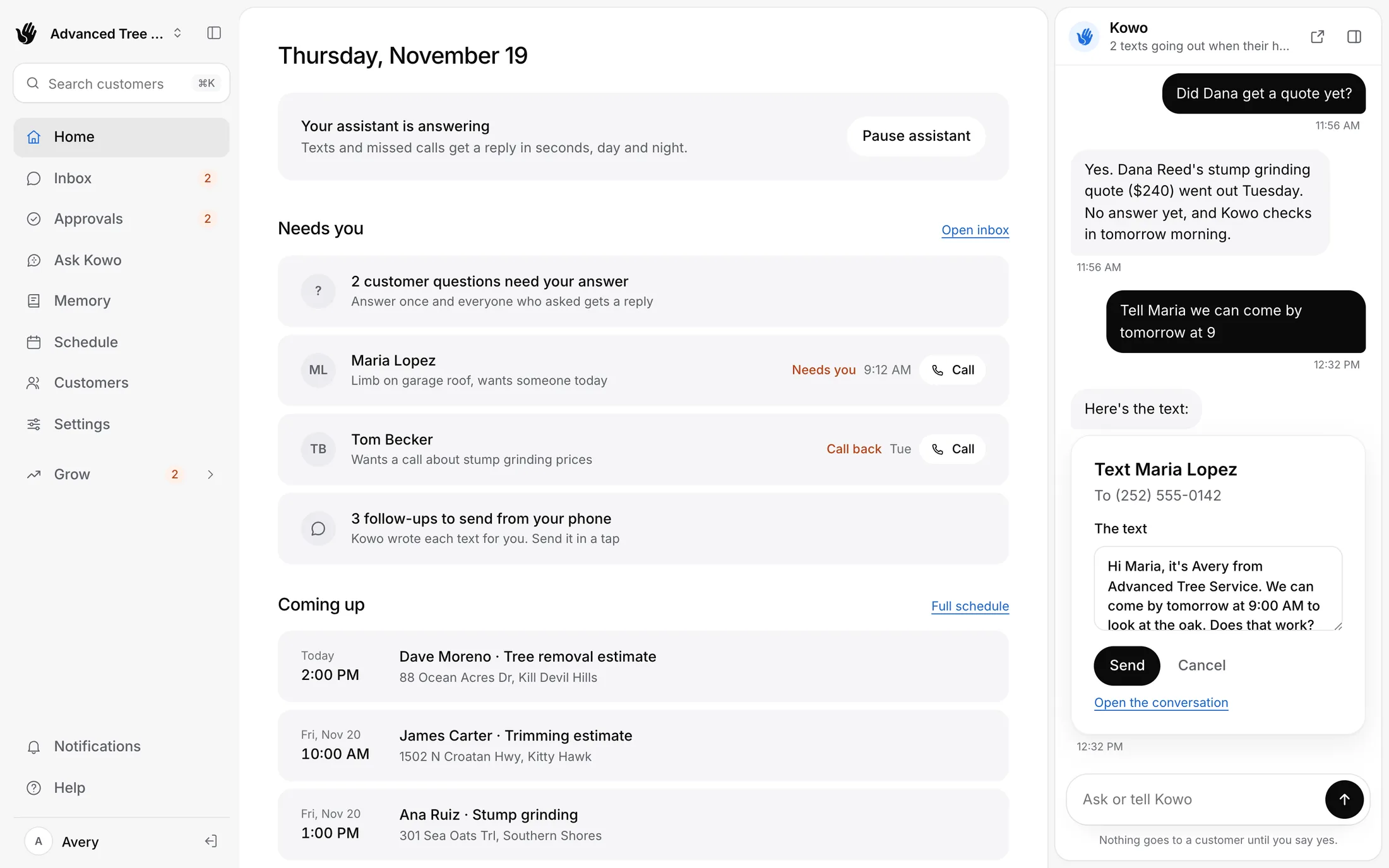
Calls answered live, as your business
Kowo picks up when you can't, in English or Spanish, books the work or puts it through, and you get the summary.
Carlos MendozaCall in Spanish
Gracias por llamar a Seaside Tree Co. ¿En qué le podemos ayudar?
Tengo un cerezo con ramas largas encima del techo y quiero que lo poden.
Con gusto. Le podemos dar un presupuesto gratis el jueves a las 11:00 a. m. ¿Le queda bien?
Sí, perfecto. Es en 4115 N Williams Ave.
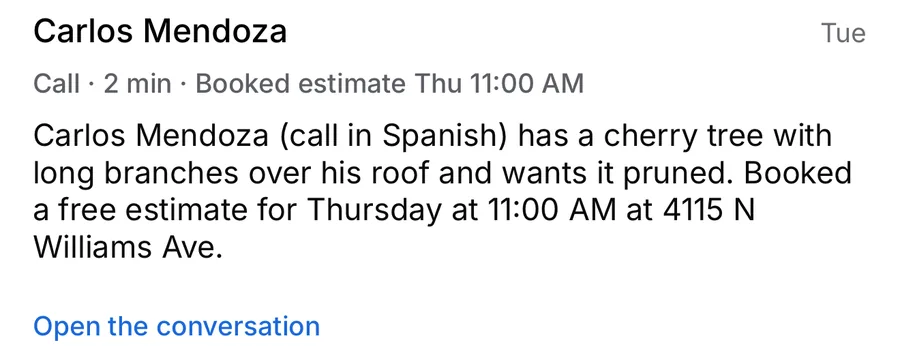
A sample call in Spanish, and the summary you read, in English.
- Answers your phone live when you can't
- A natural voice, in English and Spanish
- Texts answered in your customers' languages
- Website chat, forms and marketplace leads
- Customer photos saved
- Puts emergencies through to you
- Storm and busy mode
- Questions it can't answer go to you, and it remembers
- A summary and transcript to you, a recap text to the caller
- Missed-call text-back, if you'd rather
Booked into the times you're really open
On the call or by text, with each person's schedule kept straight and a reminder the day before.
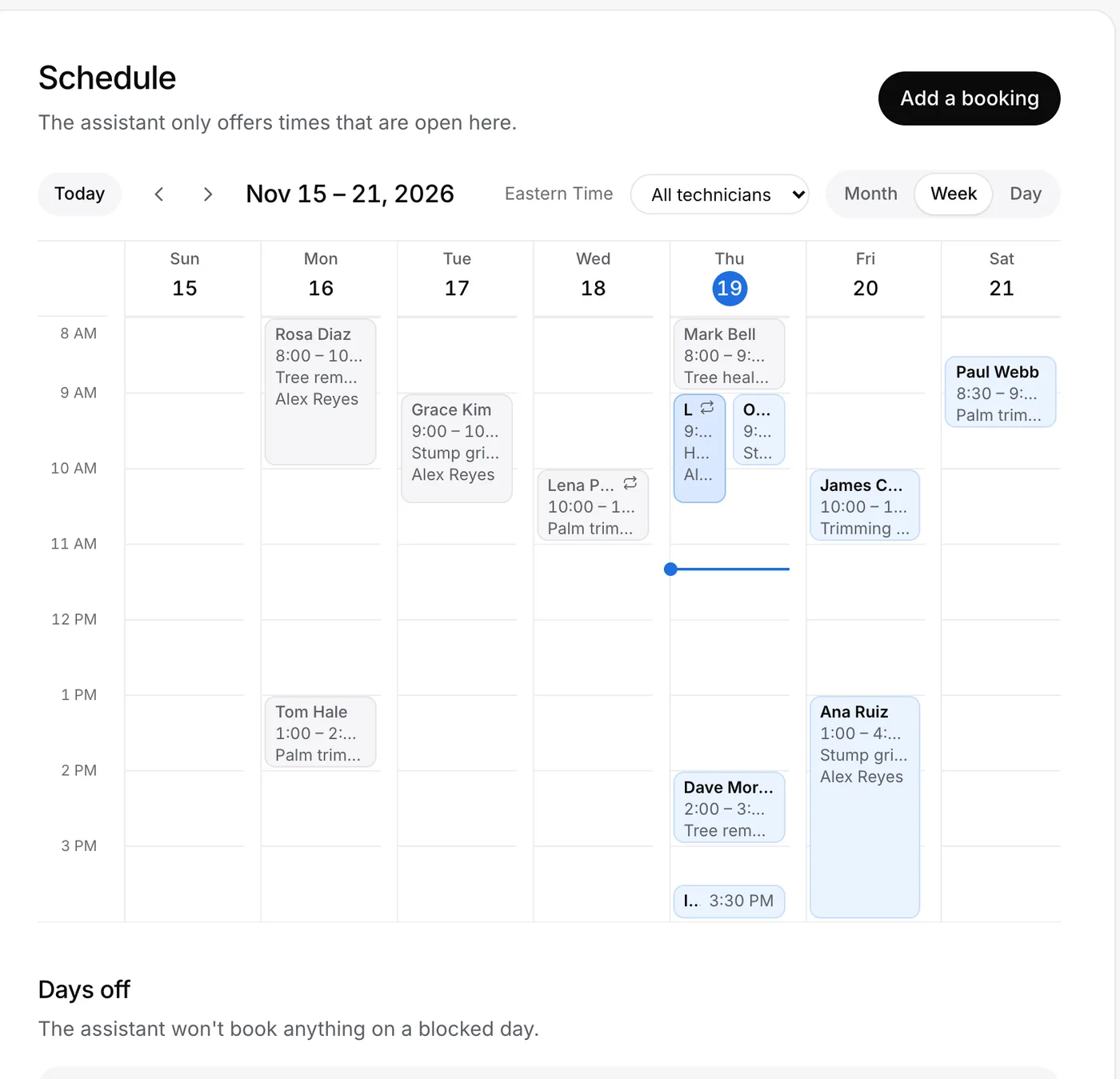
- Books the work on the call
- Estimates and appointments
- Regular visits: weekly, every 2 weeks or monthly
- Staff, technicians and crews
- Day-before reminders
- Reschedules and cancellations by text
- Google and iPhone calendar sync
- Block days off by text
Quotes approved with a YES
Texted from your Kowo number. A YES approves it, and the visit is held for as long as the work takes.
- Quotes texted from your Kowo number, approved with a YES
- The visit held for as long as the work takes
- Check-ins until the customer decides
- Told the moment a quote is approved
Dana LeeText message
Hi Dana, it's Seaside Tree Co. Here's your quote: Prune 3 front-yard maples, $1,200. Reply YES to approve it, or ask us anything about it here.
YES
Thank you, Dana! I can hold Tuesday at 8:00 AM or Thursday at 8:00 AM for the work. Which works?
To you Dana Lee approved your $1,200 quote by text: Prune 3 front-yard maples. Kowo is offering them open times and books the one they pick.
The follow-ups that used to slip
Check-ins when a customer goes quiet, renewals booked on a YES, and a review ask after every job.
Dana LeeText message
Hi Dana, it's Seaside Tree Co. Checking in on your quote: Prune 3 front-yard maples, $1,200. Reply YES to approve it.
Check-ins until they decide
When a quote or a lead goes quiet, Kowo checks in, and a YES still approves it.
Sam OrtizText message
Hi Sam, it's Seaside Tree Co. Time to renew your yearly tree health care: same program as last year, $450. Reply YES to renew and we'll find a time for your first visit. Reply STOP to opt out.
Renewals, booked on a YES
Before last year's program comes round, customers who said yes to offers get one text. On a YES, Kowo offers times for the first visit.
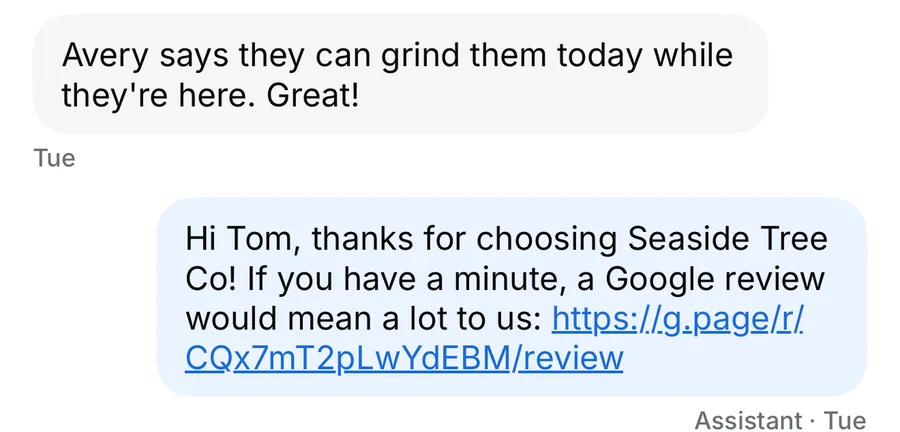
iPhone app · Inbox Reviews, asked for
A thank-you with your review link after the work, and one reminder if they don't get to it.
iPhone app · Inbox
Due-again texts and seasonal offers too, only to customers who said yes, on weekdays between 8 AM and 8 PM, at the business and where the customer is.
Every customer, and where each one stands
Everyone who has called or texted, with their history, from new lead to won, in dollars.
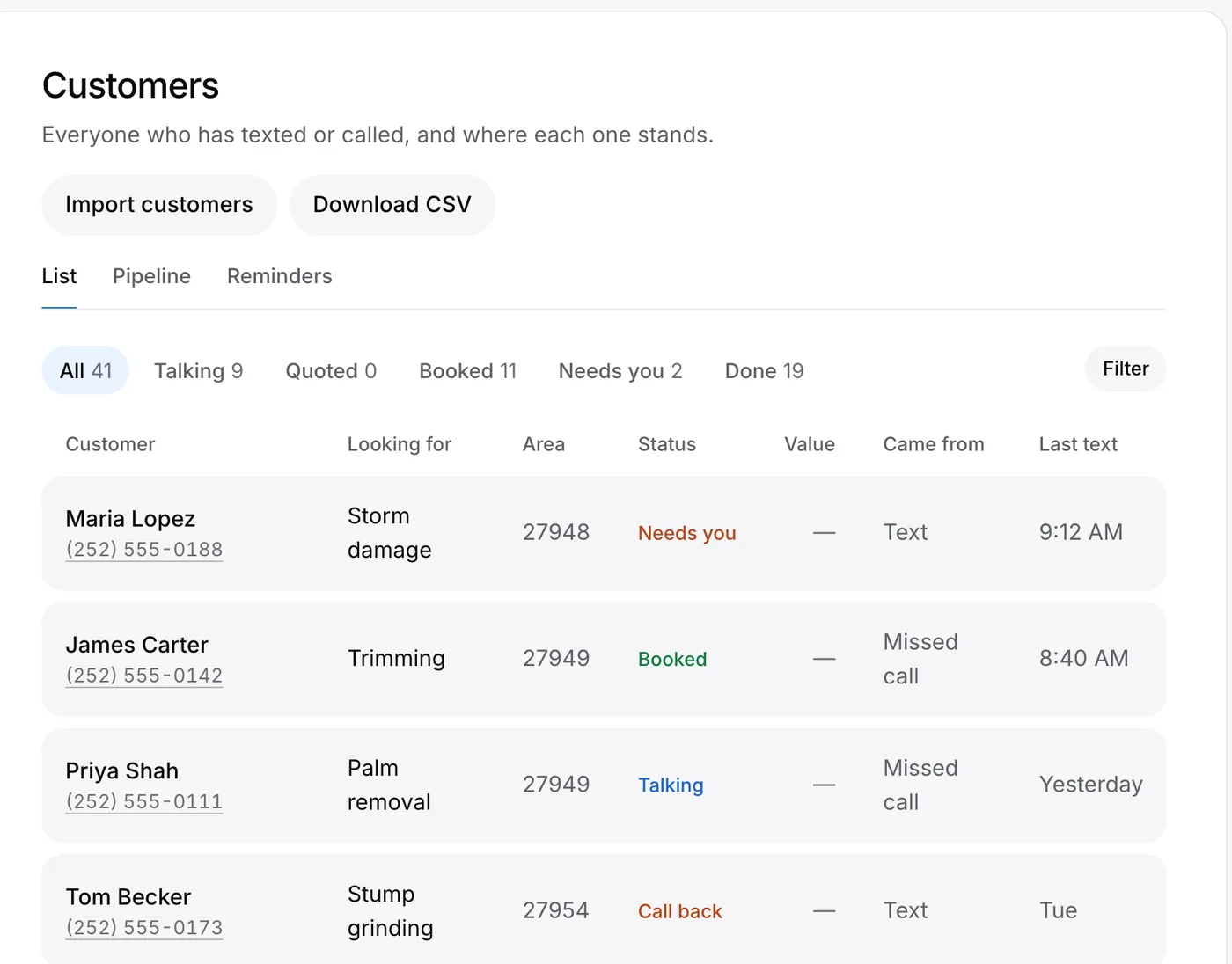
- Every customer and their history, in one list
- A pipeline from new to won, in dollars
- Tags, groups and custom fields
- Reminders for you and your team
- Your existing customers brought in
- Your prices and slow-season plan, kept up to date
- What Kowo knows, in one place
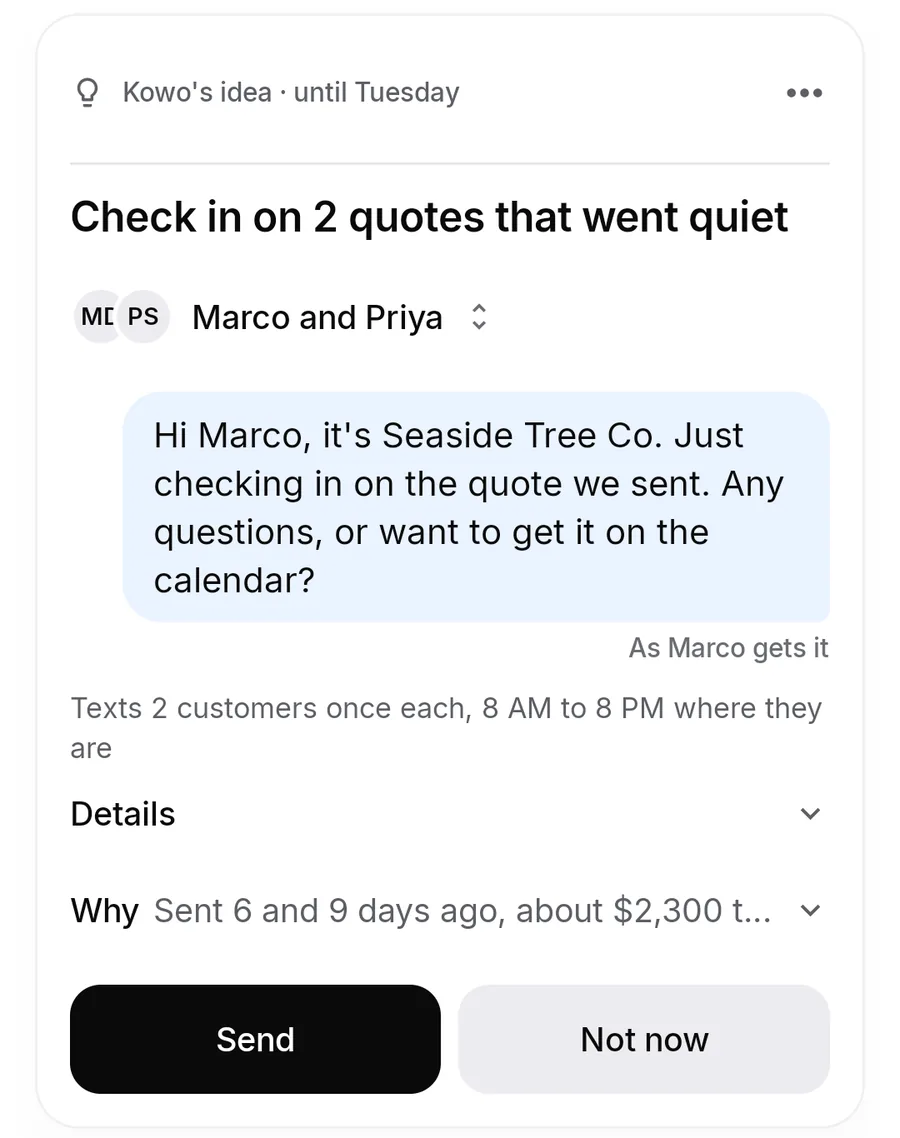
Ideas for more work, done only with your OK
Each morning, work worth doing: who gets what, when and why. Then it waits for your Send.
- Ideas for more work, every morning
- What's included, shown before your yes
- Permissions you choose
- Approvals in one place
- Goals it works toward
- Your week in review every Monday
- A monthly report of what it booked
- Where your work comes from, in dollars
Ask about your business in plain words
In the app, on the dashboard, by text or by phone, with answers from your own calls, quotes and bookings.
- What's on tomorrow?
- Who called today?
- Which quotes are still open?
- What should I do in the slow season?
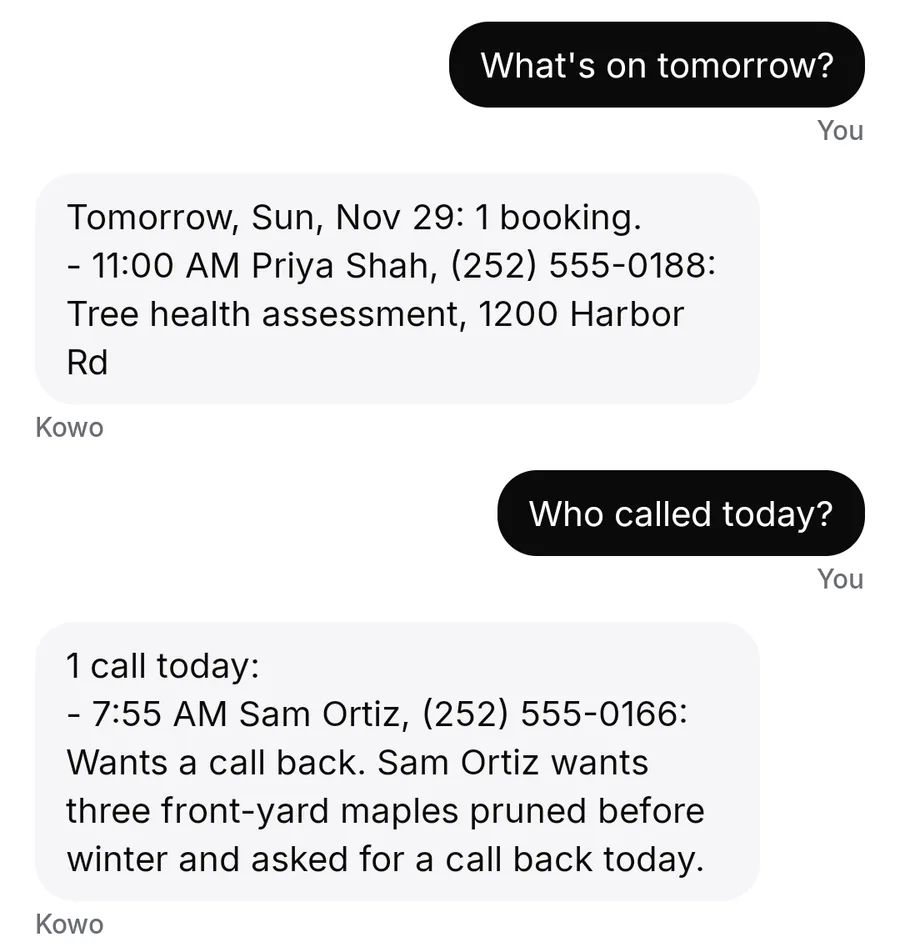
- Ask in the app, on the dashboard, by text or by phone
- Answers from your own calls, quotes and bookings
- Advice on pricing, marketing, hiring and the slow season
- Makes changes only with your OK
Run it from your phone
Every conversation, booking and alert in one place, on iPhone and Android.

Or use it on any computer at my.kowo.app.
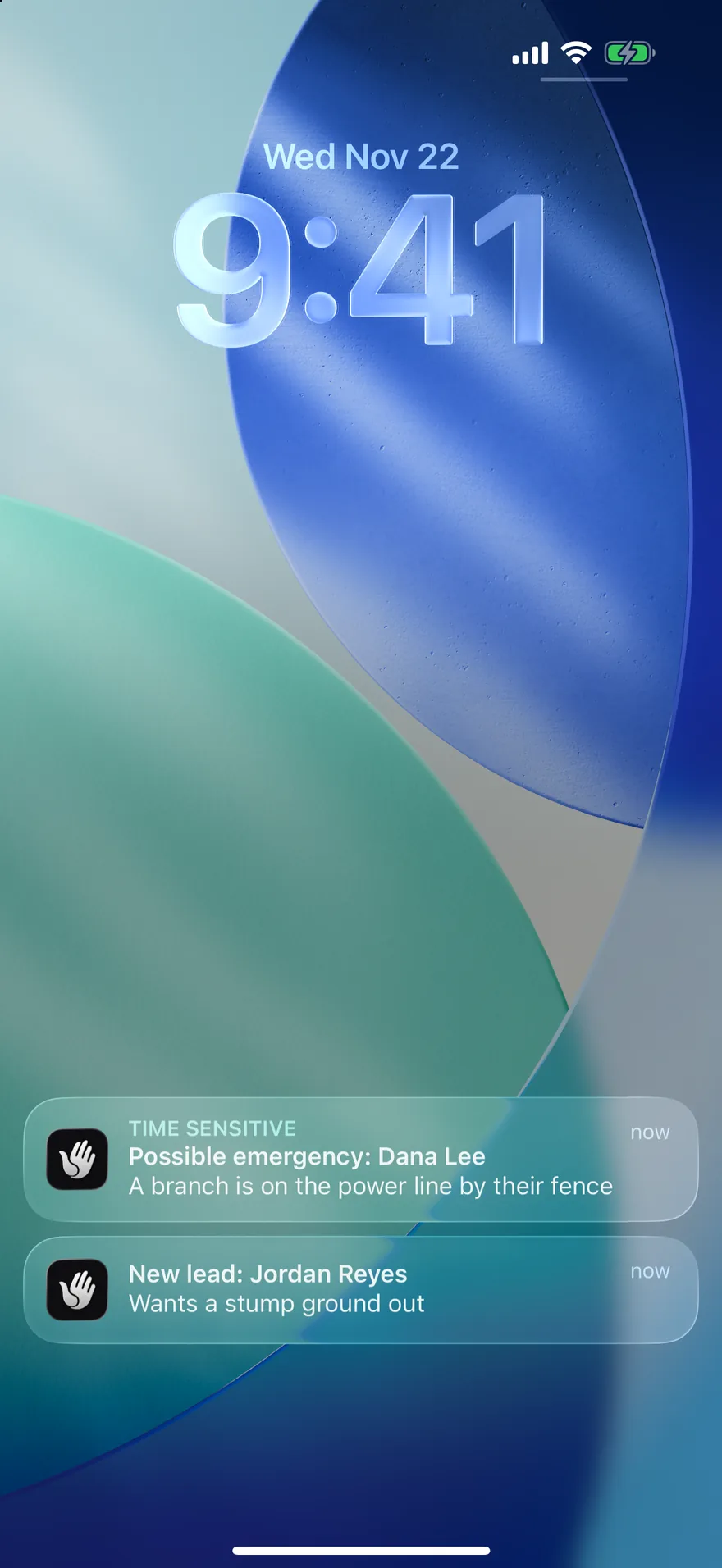
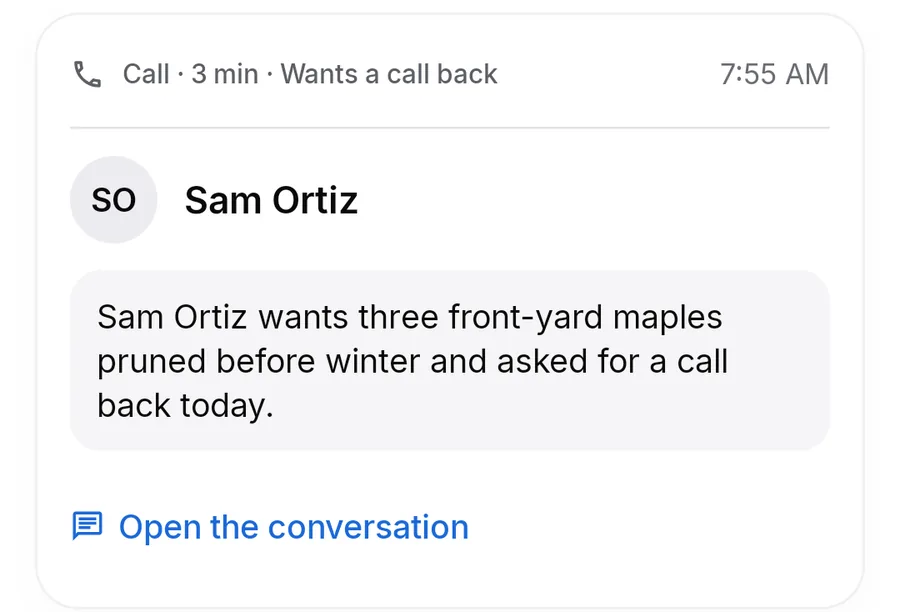
Kowo for iPhone with a sample business's alerts, and the Android app's Calls.
- Kowo for iPhone and Android, and my.kowo.app on any computer
- Alerts you act on with a tap, in place of texts
- Owner alerts and emergency paging
- Updates grouped when it's busy
- Text commands and a morning summary
- Dashboard and app for your whole team
Your yes comes first
Pick what Kowo does on its own. Everything else waits for your yes, and you can change it any time.
- Kowo writes it and waits for your yes.
- Kowo goes ahead under the same rules, and it shows in your timeline.
- Kowo leaves it to you.
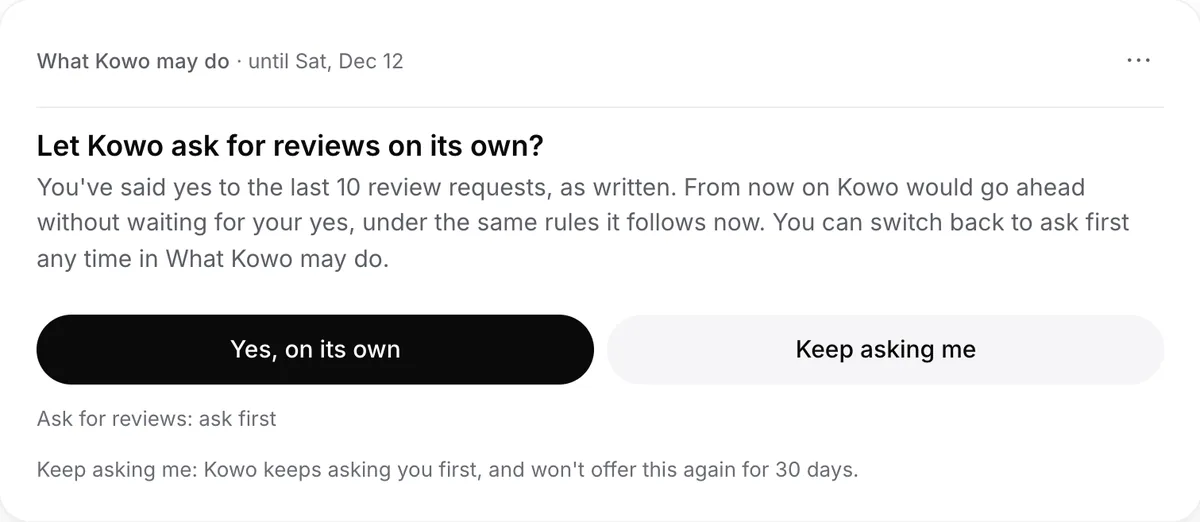
Once you've said yes to the same kind of message enough times, Kowo offers to take it on. Switch it back whenever you like.
Works with the tools you already use
Bookings land on your calendar, leads come in from where you get them, and the chat works on your website.
Calendars
- Google Calendar
- iPhone Calendar
- Outlook
- Any calendar app
Leads by email
- Angi
- Thumbtack
- Yelp
- HomeAdvisor
- Google Local Services
Your website
- Wix
- Squarespace
- WordPress
- Webflow
- GoDaddy
Everything else
- Your customer list, from CSV or Excel
- Your other apps, with an API key
Careful by design
Emergencies come first, and Kowo keeps to the limits you set.
Urgent calls reach you first.
Emergencies page you immediately, in English or Spanish, with safety instructions for the customer.
Storm and busy mode.
One switch in Settings pauses regular booking: emergencies still come straight through, and everyone else waits on a fair list in your morning summary.
Powers you choose.
Answering, booking and alerting you is its job. Anything more, like texting a customer first or moving a booking, is on its own, ask first or never: your call. It never spends money on its own.
Only your prices.
It's told to quote only your price list, never to estimate, and replies are checked nightly. Without a price list, pricing stays with you.
Honest about being AI.
Asked if it's a person, it says so and offers you.
Danger in any words.
A gas smell, a downed line or a fire, in English or Spanish, gets safety steps and pages you.
Codes removed.
Gate, door and alarm codes are removed from texts, chats and call transcripts before they're saved.
Always a reply.
If anything fails, the customer gets a holding text and you get the message. STOP, or ALTO, PARAR or CANCELAR in Spanish ends every text.
Quiet hours kept.
Offers and due-again texts go only to customers who said yes, on weekdays between 8 AM and 8 PM, at the business and where the customer is.
Careful with your list.
Customers you bring in never overwrite what Kowo knows, and opt-outs stay opted out.
Not for training.
Kowo never trains AI on your business's data, and neither does the AI provider it uses.
Your customers are yours.
Download your customers as a spreadsheet anytime, from Customers in your dashboard.
FAQs
Something else? Email us.
How long does setup take?
About 15 minutes. A setup chat learns your services, area, hours and prices. Before you choose a plan, Kowo calls your mobile and answers as your business, so you hear it first. Your Kowo number is connected as soon as you choose your plan, and calls are answered live from then on.
Does it work in Spanish?
Yes. Calls, texts and reminders in Spanish for customers who speak it. The summary you read is in English.
Does every plan include all of this?
Yes. Every plan answers calls live and runs the same day-to-day. Kowo Solo is just you; Kowo and Kowo Pro add your team, and the plans differ in how much each month includes. Compare plans.
What does Kowo do without asking me?
Answering, booking and alerting you. For everything else you pick: ask me first, on its own, or never. Anything set to ask first waits for your yes.
Is there an app?
Yes. Kowo for iPhone and Android puts every conversation, photo, booking and question in one place, with alerts on your lock screen you can act on: reply, call, or mark a job done or a lead won. In the app, alerts take the place of texts. On any computer, it's at my.kowo.app. Prefer texting? Every update can come by text too, and you can answer by text.
Can I bring my existing customers?
Yes. Upload a CSV or Excel export from your job software, accounting app or contacts. You see a preview before anything changes. Kowo only fills in what it doesn't already know, and everyone who opted out stays opted out. An import counts as permission to send offers only when you confirm that everyone on it agreed in writing.