How can we help?
Getting Kowo running your day-to-day: setup, the app, connections and answers to what owners ask.
Call forwarding, by phone company
Keep your number and send only the calls you miss to Kowo: the steps for your kind of line, how to test it and how to turn it off.
Live in about 15 minutes
Sign up and a setup chat asks for what it needs. Have your services and prices, your hours and the area you serve handy. Everything else, your dashboard walks you through once you're live.
What happens after you sign up
- Set up in about 15 minutesA setup chat learns your services, area, hours and prices.
- Hear it, then choose a planKowo calls your mobile and answers as your business, before you pay. Then Kowo Solo, Kowo or Kowo Pro, monthly or yearly.
- Your Kowo number is connectedWithin minutes, and Kowo answers your calls live from then on. A first yearly plan is checked by a person at Kowo first. A short form then takes your legal details, or registers you as a sole proprietor.
- Carriers approve your textingPhone carriers approve your business for texting, usually in 1–3 weeks. Kowo files it for you.
- Texting turns onCall recaps, booking confirmations and follow-ups go out by text, day and night.
Kowo on your phone
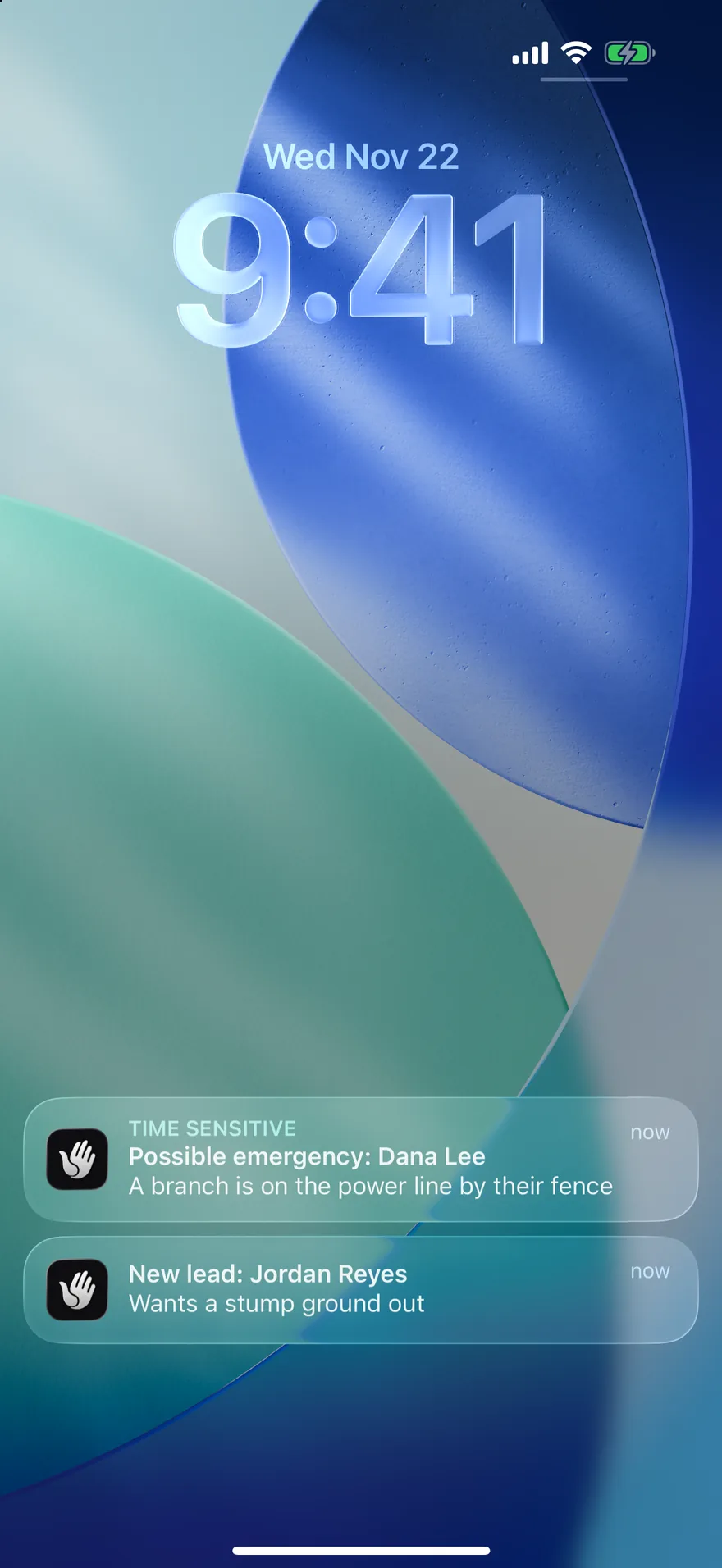
Every conversation, booking and question in one place, with alerts on your lock screen.

Or use it on any computer at my.kowo.app.
Connections
Connect them in Settings › Connections, and disconnect any time.
- Google CalendarEvery booking, move and cancellation shows up on your calendar, and your own events keep those times from being offered.How it works ›
- iPhone Calendar, Outlook and other calendarsAdd your private calendar link to any calendar app, and every booking is there. Each technician can have their own.How it works ›
- Angi, Thumbtack, Yelp and Google Local ServicesForward their lead emails to your private lead address, and Kowo follows up with the customer by text.How it works ›
- Your websiteAdd the chat to your site from Settings. Visitors get answers, and the conversation carries on by text.
- Your other appsWith an API key from Settings › Connections, bookings, leads and call summaries go to the apps you use.
Answers
- Calls and your number
- After the call
- Your customers
- Customers and reviews
- The app and your team
- Ask Kowo, by text or by phone
- Account and billing
Prefer texting? Text HELP to your Kowo number from your own phone for the list of commands.
Calls and your number
Do I keep my phone number?
Yes. Your phone rings first, as it does today, and the calls you miss forward to your Kowo number, a local number we set up for your business. Or put your Kowo number on your ads and website, and Kowo answers every call to it.
How do I forward the calls I miss?
Kowo walks you through it when you go live. Text FORWARDING to your Kowo number from your own phone any time to get the steps again. Or see the steps for your phone company.
Can calls get a text instead of a live answer?
Yes. In Settings you can have Kowo text callers back instead of answering live, on any plan. Text-backs use your texts, not your minutes.
Does it speak Spanish and other languages?
Calls are answered in English and Spanish, switching when the caller asks or presses 2. Texts are answered in whatever language the customer writes in. Everything saved for you stays in English.
Does it work when my phone is off?
Yes. It runs in the cloud, not on your phone. Urgent alerts will be waiting when you turn it back on.
After the call
What's in Approvals?
Everything waiting for your yes, in one place: Kowo's ideas, steps toward your goals, questions customers asked, and texts for you to send from your own phone. Tap Yes, do it, change the text first, or Not now; an idea waits three days. Under it is a timeline of what Kowo did and what it will do next, and anything not sent yet can be undone.
How do I choose what Kowo does on its own?
In Settings › Permissions. For texting customers, booking, moving and cancelling, review requests and offers, choose On its own, Ask me first or Never. Out of the box it asks first, it never spends money on its own, and while your assistant is paused nothing runs on its own. Only an owner can say yes to offers and anything about money, and a technician says yes only to what's about their own jobs.
How do goals work?
On Home, choose Give Kowo a goal: fill this week or next, get Google reviews this month, win back last season's customers, or plan for the slow season. Kowo plans the steps and re-plans every morning, and each step goes through Approvals unless you've let it do that on its own. An owner can set up to three goals at a time.
Where do Kowo's ideas come from?
Every morning Kowo looks over your business: quotes that went quiet, customers due for their yearly visit, customers booked on a day you blocked, and for outdoor work, rain on the way. Each idea shows on Home and in Approvals, and your morning summary mentions it.
What comes on Monday?
Every Monday at your morning summary time, Kowo sends how last week went: calls, bookings and what they're worth, open quotes and review requests, with one decision for the week. Say yes to the decision with a tap in the Kowo app or on the dashboard, or, if you get your updates by text, reply that day with the 4-digit code in the text. The whole week is on Your week, linked from Home.
How do I send a quote by text?
Open the customer in your dashboard, add the work and the total, and send it. Kowo texts it from your Kowo number. The customer replies YES to approve it, or asks about it in the same conversation, and you're told the moment it's approved. Until they decide, they get a check-in on day 2, 7 and 21, which you can change or turn off in Settings.
What are yearly renewals?
For yearly work, like maintenance plans, lawn programs or pest plans, turn on renewals for that service in Settings › Growth. A few weeks before last year's start date, each customer who agreed to hear from you gets one text to renew, and their YES is booked like any other visit. Customers Kowo can't text are listed for you with the words to send.
Your customers
Where's my customer list?
Under Customers, with three views: your List, a Pipeline from New to Quoted, Booked, Won or Lost with what each stage is worth, and Reminders. Every customer Kowo talks to is added on its own. Moving a customer between stages never texts them.
Can I tag and group customers?
Yes. Add tags to any customer, and save groups, either by hand or as a filter like everyone in a ZIP code, everyone tagged VIP or everyone who had a certain service. A group can be the audience for an offer, which still goes only to customers who agreed to offers.
Can I keep my own details on customers?
Yes. Add up to 30 fields of your own in Settings › Customers, as text, a number, a date or a choice. Kowo fills one in from a conversation only when you've marked it to.
How do reminders work?
Set one on a customer, like “Call Dana back Friday at 10”, for yourself or anyone on your team, or ask Kowo to. The alert comes to the Kowo app when it's due, or by text if that's how you get your updates.
What does Kowo know about my business?
Everything it uses to answer is under Memory: your business details, common questions, your notes, the answers you've given and the fixes your team made. A change is used from the next text or call.
Customers and reviews
What happens when a customer texts STOP?
STOP, or ALTO, PARAR or CANCELAR in Spanish opts them out of every message from your business, including reminders and follow-ups, until they text START. HELP, or AYUDA in Spanish, gets your business's help reply.
How do I send a review request?
When a job is finished, tap Job done on the booking in the app or dashboard. The customer gets a polite request with your Google link, and one reminder.
Where do I find my review link?
In your Google Business Profile, under "Ask for reviews". Add it from your setup list in the dashboard; review requests start once it's in.
Can I bring in the customers I already have?
Yes. Upload a CSV or Excel export from your job software, accounting app or contacts. You see a preview before anything changes. Kowo only fills in what it doesn't already know, and everyone who opted out stays opted out. An import counts as permission to send offers only when you confirm that everyone on it agreed in writing. Up to 25,000 customers from a file.
How do marketplace leads reach Kowo?
Your dashboard gives you a private lead address. Add it to Angi, Thumbtack, Google and the others, or forward lead emails to it, and each lead gets a text from your Kowo number within a minute.
How do I add the chat to my website?
One line added to your site turns it on. Settings gives you the line, with instructions for your website builder.
What if the assistant says something wrong?
Tap "Not right?" under the reply in your inbox and say what it should have said. It follows that from then on. To stop it at once, tap Pause assistant on Home; customer texts then come straight to you.
The app and your team
How do I get the app?
Get Kowo for iPhone and Android from the App Store or Google Play and sign in with your mobile number. On any computer, open my.kowo.app, sign in the same way and turn on alerts under Notifications.
Can I see every conversation?
Yes. The app and the dashboard at my.kowo.app show every text, chat and call, with photos, transcripts and summaries.
Will Kowo still text me if I use the app?
No. Once you're signed in on Kowo for iPhone and Android with notifications on, your alerts come to the app instead of texts, and you act on them there. A text goes only if Apple or Google can't deliver the alert, for example after the app is deleted. Want texts as well? Turn on “Prefer texting? Text me too” in the app's Settings.
Can more than one person get the alerts?
Yes. Everyone on your team can sign in and choose their alerts, and conversations can be assigned to the right person. Add people under Team.
How do bookings get on my calendar?
Connect Google Calendar in Settings › Connections: every booking, move and cancellation shows up, and your own events there keep those times from being offered. On iPhone, subscribe to your private calendar link instead.
Ask Kowo, by text or by phone
What is Ask Kowo?
Your own assistant for running the business. Ask on the dashboard's Ask Kowo page, in the app's Ask Kowo tab, by text to your Kowo number, or by calling it, in English or Spanish: what's on tomorrow, who's waiting on you, how last week went. Ask it to move a booking, set a reminder or draft a text, and it shows you exactly what it will do first.
How many Ask Kowo questions come with my plan?
Kowo Solo includes about 450 questions a month, Kowo about 1,400 and Kowo Pro about 2,800. Quick questions, like today's schedule or who called, are always free. Settings › Billing shows what's left. If you run out, nothing extra is charged and they're back on the 1st, or an owner can add a $10 or $25 pack there. Packs carry over while your plan is active and aren't refundable.
Can I make changes by text?
Yes. Text your Kowo number from your own phone in plain words, like “move Dana to Friday at 2” or “cancel Dana”. Kowo texts back exactly what it will do with a 4-digit code, and replying with the code does it. Caller ID on a text can be faked, so the code goes only to your own phone. If two customers share that name or the day isn't clear, it asks which you mean, and if the time is taken, it tells you what's open that day. Text HELP for the full list of commands.
Can I send an offer by text?
Yes. Draft it in Offers, then text “send the fall offer”, naming it in a word or two. Kowo texts back how many customers will get it with a 4-digit code, and replying with the code sends it. Offers go only to customers who agreed to get them, and only an owner can send one.
Can I call Kowo instead?
Yes. Call your Kowo number from your own phone, and anyone on your team can call from the phone they sign in with. Ask what's on tomorrow, or say “move Dana to Friday”: Kowo answers out loud, reads back any change first, and saying “yes” does it. Calls are for quick changes, up to 5 minutes each and 60 minutes a month for your business. Nothing on the call is recorded.
Why did my call get a short message instead?
Kowo reads out your customers' names and bookings, so it talks with you only when your carrier confirms the call really comes from your phone. Some carriers and internet phone services don't confirm every call. Then you hear a short message pointing you to texts and your dashboard, and texting your Kowo number works as always. You hear the same message once your 60 minutes for the month are used.
Account and billing
What do the phone carriers need from me?
Once you're live, a short form in your dashboard asks for your legal business name, address and EIN, which the carriers need to approve texting. No EIN? Register as a sole proprietor with your own name, address, email and mobile instead.
How do I change or cancel my plan?
In Settings. Moving up to a bigger plan takes effect right away; moving down or cancelling takes effect at the end of the period you've paid for. Kowo Solo is just you, so remove your team first. Compare Kowo Solo, Kowo and Kowo Pro.
How do I add another location?
Once your first location is on a plan, add the next one yourself in Settings › Locations. It starts with your services, prices and the rules you've taught your assistant, a short setup chat asks for what's its own (its address or area, hours and phone), and you choose its plan at 20% off. It goes live by itself once it's paid. Each location has its own number, hours and assistant, and your team can open every one. The discount lasts while another of your locations is on a paid plan.
How is my customers' data handled?
It's yours. See the privacy policy and how we keep it secure.
Can I download all my data?
Yes, any time. In Settings › Billing, Download everything gives you one file with your customers, conversations, calls with their transcripts, bookings, photos and settings, as spreadsheets and JSON. It's there for 30 days after your plan ends, too.
How do I close my account?
In the Kowo app, open Settings and tap Delete my account, or on my.kowo.app, open Settings, then Billing, and choose Delete my account. Your plan ends with the period you've paid for, and your account is deleted when it does. Delete your account explains what's deleted and what's kept.
No answers match that yet. Ask in the chat or email hello@kowo.app, and our team will help.
Still need help?
Ask from the Help page in your dashboard, text SUPPORT and what's going on to your Kowo number, or email hello@kowo.app. It reaches the team that builds Kowo.